 Mike Karthauser.
Reply desk
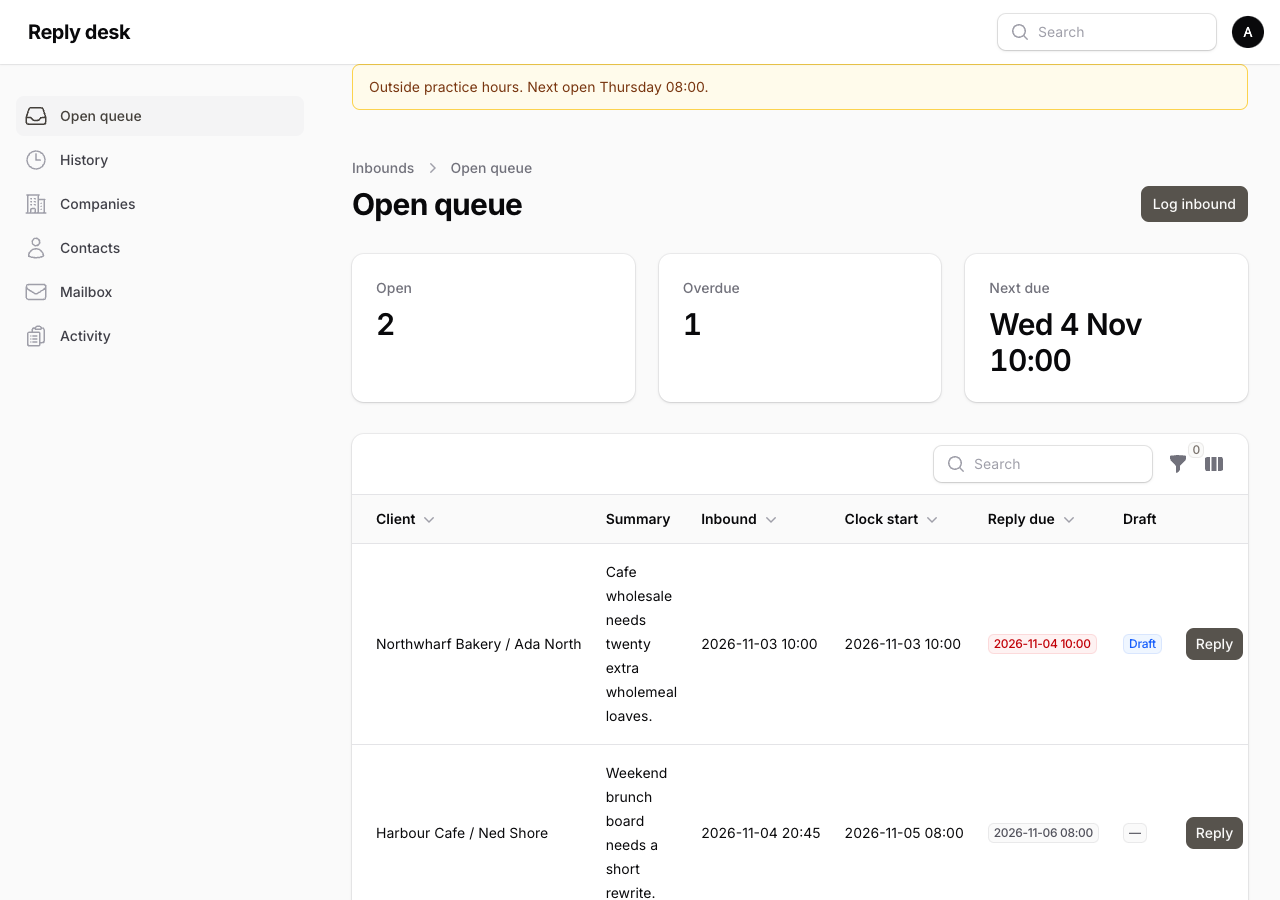
The queue for a practice's client email. It shows who is waiting for a reply, and when that reply is due. One person signs in and works that queue.
Stack
- PHP 8.4
- Laravel 13
- Filament 5
- Livewire
- Docker (using Laravel Sail)
- Pest
- MCP
Why it exists
In the mail app, a client message sits among everything else. To keep it with that client's records, it was moved into a file. The due time was calculated when it was stored there, and that figure could stay written after it was wrong. Who to answer next still depended on remembering to look. HubSpot can hold the same message on the client, but it sits deep in that record, a few clicks away, mixed in with everything else. Reply desk puts that queue on a screen.
A client email starts a clock. This practice is due to reply 24 hours after the clock starts. The person using the desk can set a different interval, and each day can have its own open ranges, including Saturday or Sunday. The default is Monday to Friday, 08:00 to 20:00 Europe/London. Inside an open range, the clock starts when the email arrives. Mail that arrives outside those ranges starts at the next open. When the desk is opened outside those ranges, a banner names the next open. The due time is calculated when the queue is opened. It is not stored.
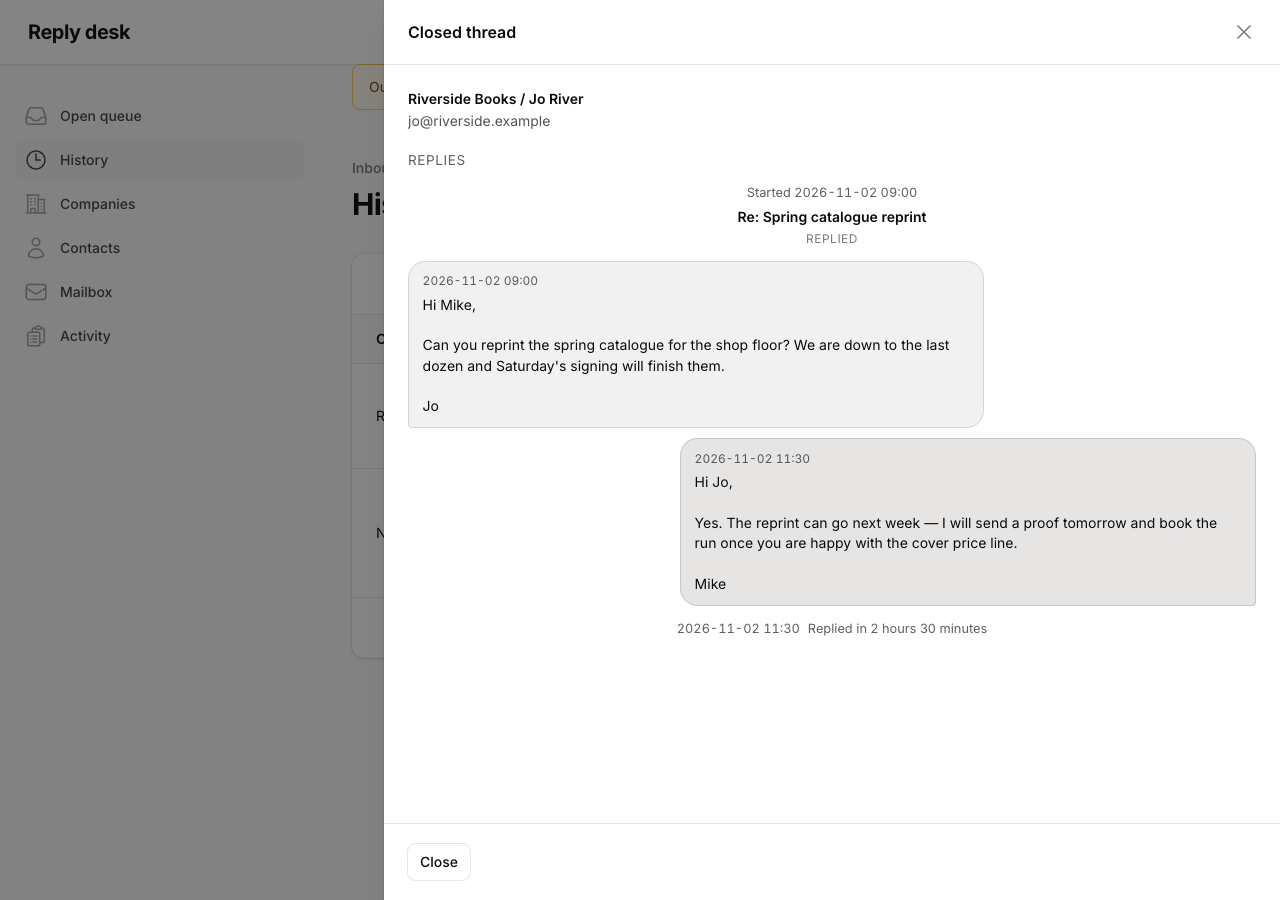
The reply can leave from the desk, or leave from Mail and then be marked sent. A draft can sit on the row while the reply is written. The draft does not stop the clock. Answered threads stay on History, each message in the order it was sent. Mail that needs no response can leave the queue without a reply.
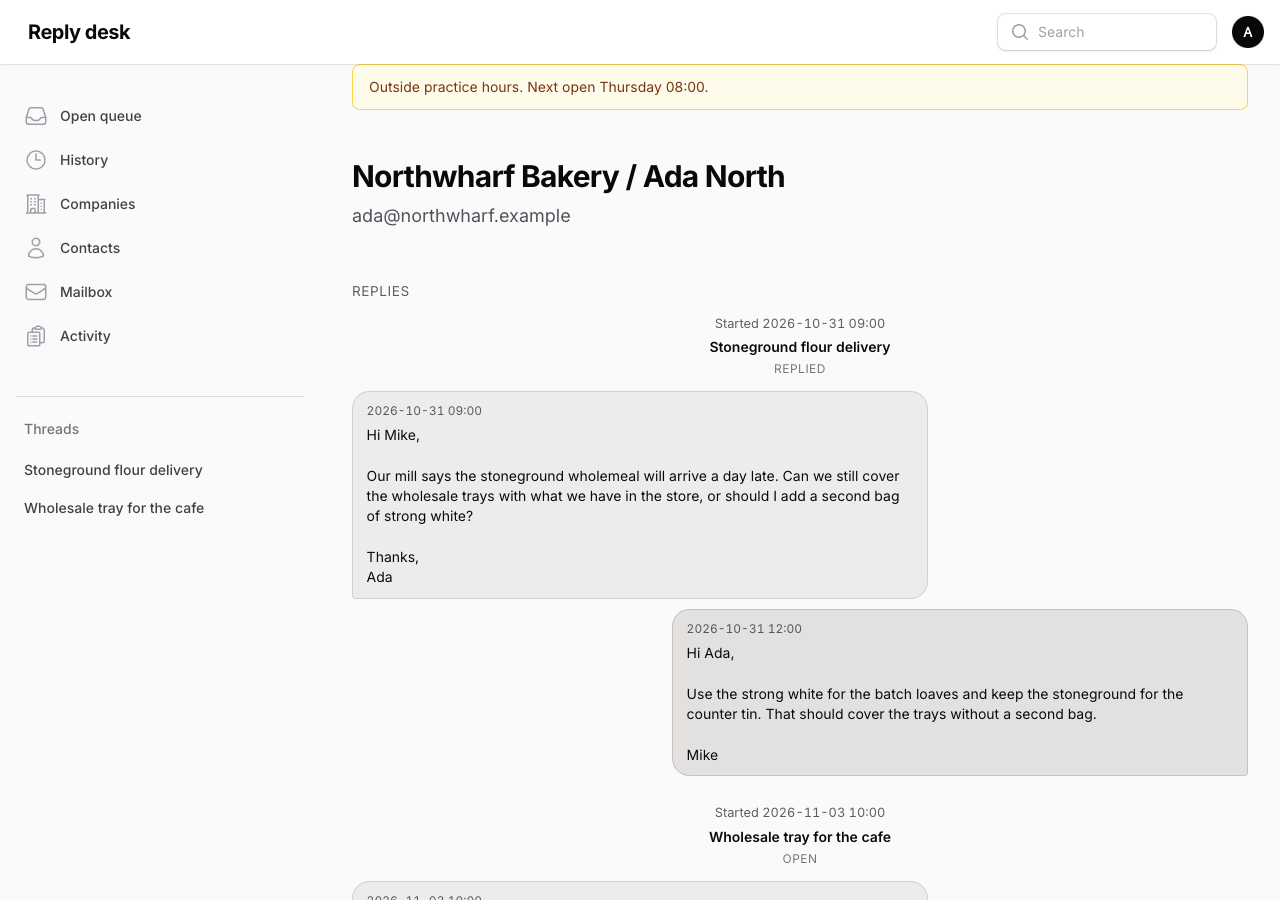
The person who answers the mail opens one queue and sees who is waiting, and whether that reply is late on the practice's own clock. They write on the row that is already open. Opening the client, the contact, or the inbound shows the full conversation as messenger-style threads, with subject links in the sidebar.
The client receives the reply within the 24 hours this practice set. A practice that answers in its own time keeps the next instruction. A late reply is late on that clock, and it shows on the queue while there is still time to send it. The time saved is the time that used to go on working out who was waiting.
How the panel is shaped
Filament 5 is the screen, on Livewire. The open queue is the panel home.
The desk can add a company or a contact. When HubSpot is connected, that write goes to HubSpot. Otherwise it is stored in the local tables. A search that is not exactly one match stops.
One administrator signs in. The queue stays closed until then.
What the desk keeps
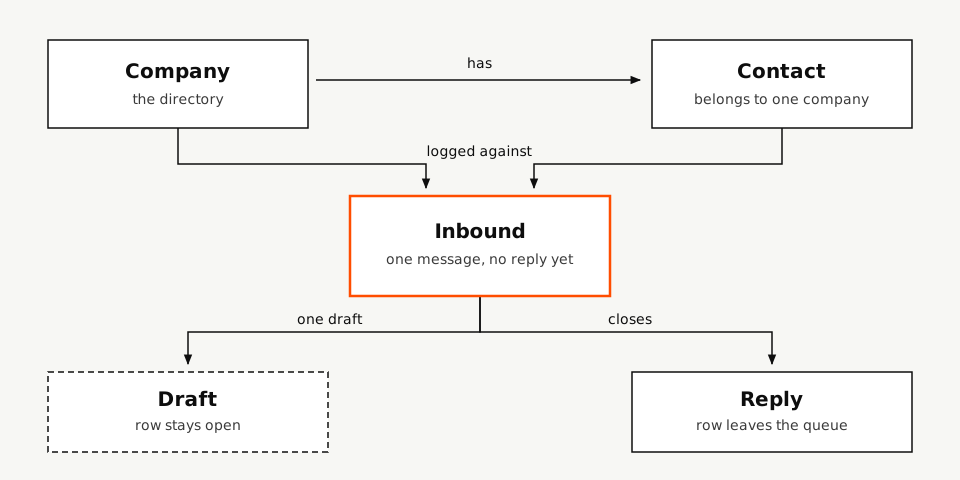
- Company and contact: the directory the practice already has. A message is logged against one company and one contact, so the row is a client the practice already knows.
- Inbound: one client message with no reply yet. That inbound is the open row. The queue is those rows, so who is waiting is on the screen.
- Draft: the reply being written, kept on that one inbound. Saving it leaves the inbound open. The row still shows as waiting, and the clock still runs. With a mailbox configured, that save also writes the Drafts folder on the practice account.
- Reply: the message that was sent. It points back at the inbound and closes it, so the row leaves the queue. A later reply on that inbound is another message. The same minute is refused. History keeps the inbound and each reply in the order they were sent. The next time that client is opened, the last answer is already there.
Mailbox
IMAP and SMTP for the practice account are optional. Connection secrets stay off the screen. When they are empty, a draft stays only on the desk, send uses the Laravel mailer, and mark sent records a reply that already left from Mail. Log inbound still fills the queue by hand.
With a mailbox configured, the desk can be the only screen for the practice mail. It reads and writes the same account the mail client already uses. Save draft also creates or replaces one message in Drafts. Send goes out through that SMTP account, stores the Message-ID, removes the Drafts message, and leaves a copy in Sent. If the server refuses, the row stays open and both drafts stay. The desk does not drive the Mail application.
A scheduled poll reads Inbox since the last seen message. It does not delete or move mail. A message is kept only when its From address is exactly one contact already on a company. An unknown address is skipped. The desk still creates no company and no contact from a domain. A reply whose In-Reply-To or References matches a Message-ID this desk stored becomes a new inbound on that contact and starts the clock in the usual way. Poll on or off, the interval, and poll now are on the Mailbox page. Activity lists poll and send events.
What the screen shows
- Messages: the client, contact, and inbound pages show messenger-style threads. Client on the left, owner on the right. Related subjects merge. The sidebar lists those subjects under Threads.
- Clock note: the open-queue note opens as a timeline. A reply on that timeline shows how long it took from the clock start.
- Reply: the earlier thread scrolls, oldest first. The subject, the body, and a file stay at the bottom of the window. Send delivers through the configured mailbox, or through the Laravel mailer when none is set.
- Draft: one draft per open row. Saving it leaves the row open. An unchanged draft closes without asking.
- History: closed threads, newest first. The same timeline shows each message as it was pasted.
- Close: for inbound that needs no response. The row leaves the queue with no reply recorded.
MCP
The same queue is available to a local agent. The agent can work the desk without opening the panel. It can send through the desk mailer or the practice mailbox. Mark sent stays for a reply that already went from Mail.
- Queue: who is waiting, and who has already been answered.
- Directory: the companies and contacts a message can be logged against.
- Company: adds a company. A name that is already there is refused.
- Contact: adds a person on one company. The email is stored in lowercase.
- Inbound: one client message, recorded as an open row. The subject is kept when the mail has one.
- Draft: saved or discarded on that row. Saving it leaves the row open.
- Send: delivers the reply through the desk and marks the row sent.
- Mark sent: a reply that already went from Mail. The row leaves the queue. A reply with no subject keeps the subject of the previous message. A later reply on that row is another message. The same minute is refused.
- Close: ends an open inbound with no reply.
Repository
The public repository is github.com/iammikek/reply-desk. Pest tests and Pint run in CI on every push.